Give your idea
a starting point.
Enter a topic, write your own script or use local AI script drafting. Create a video with visuals, captions and a voiceover, then review it before sharing.
IDEA+WORDS+VISUALS
Turn a topic into a video. Build an image. Bring your visuals, words and voice together in one creative workspace.
Explore Media FactoryCreate, refine and export without losing your idea along the way.
Enter a topic, write your own script or use local AI script drafting. Create a video with visuals, captions and a voiceover, then review it before sharing.
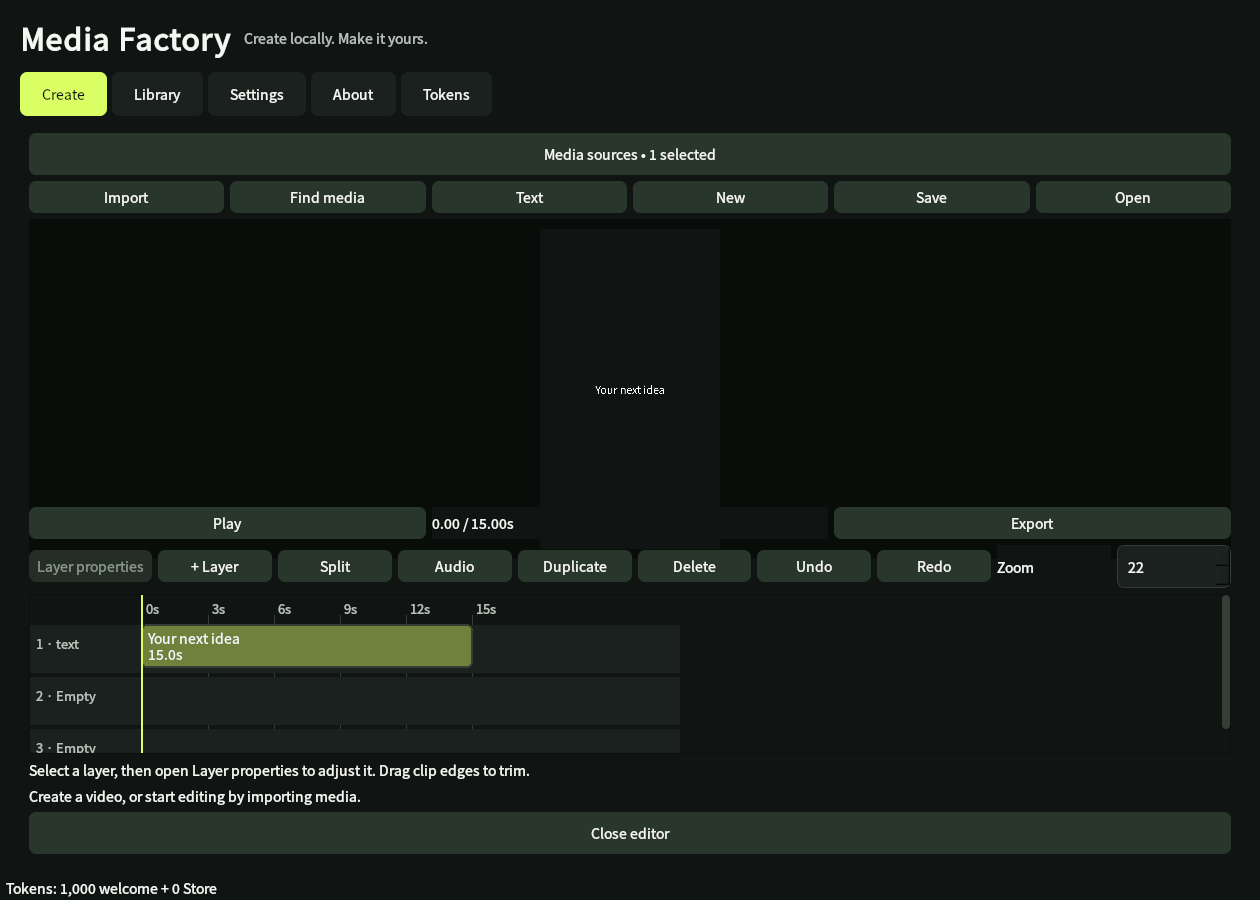
Work with image and text layers. Import photos, videos, GIFs and audio. Move, trim, split and arrange clips on a timeline.
Add a voiceover with installed Windows speech voices, choose a pace and mix your own audio. Preview the result with sound.
Export image compositions as PNG and videos as MP4. Save editable projects and return to them later.
Turn your ideas into visuals and stories you can review, refine and share.
Make short videos, explainers and social posts with scripts, captions and voiceovers.
Create product stories, promotional videos and visual announcements for your business.
Bring lessons, presentations and ideas to life with clear narration and supporting visuals.
Start with a description or your own media, then shape a personal project at your own pace.
Desktop preview from the current development build. The interface may change before release.
Choose image or video, set your canvas and add a topic or your own media.
Review your draft. Adjust the visuals, text, timing and audio in the editor.
Save your project and export a file. You choose where and when to publish.
Planned launch pricing. Downloads and token top-ups will become available after the app is released.
One-time purchase. No automatic renewal. Regional Store pricing applies. Optional third-party services may have their own costs.
The desktop renderer runs on your Windows PC. Local AI script drafting works offline after a one-time model download. Projects and renders do not upload automatically.
Online stock sources need an internet connection and may require your own provider keys. Media licensing and source credits still apply.
Planned platform: Windows 10/11, 64-bit. Local AI needs about 3 GB of disk space; 8 GB or more RAM is recommended. Performance varies by computer.
The app is in development and preparing for private Microsoft Store testing. A public download is not available yet. This page will be updated when the release is ready.
The current app creates image compositions using imported or sourced media and editable text layers. This page does not promise a built-in text-to-image model. Video creation combines scripts, visuals, captions and voiceovers.
Tokens cover AI requests, media searches, completed edits and rendering from one shared balance. The app shows each charge before you start. Costs vary with the action and workload; 1,000 welcome tokens are granted once, with no daily refill. Processing attempts use tokens even if later canceled or unsuccessful in the preview. Third-party services and licenses are separate.
Tokens are used before generation begins. Top-ups are one-time purchases rather than a recurring subscription. The welcome allowance is granted once.
Local rendering, editing and local AI script drafting can work offline once the required model is downloaded. Online media sources, Store purchases and purchased-token verification require connectivity.
Media Factory is preparing for private testing before its public Windows release. Leave your email if you would like to hear when it launches.
No launch date is announced yet. Downloads and purchases are not available on this website.